|
 |
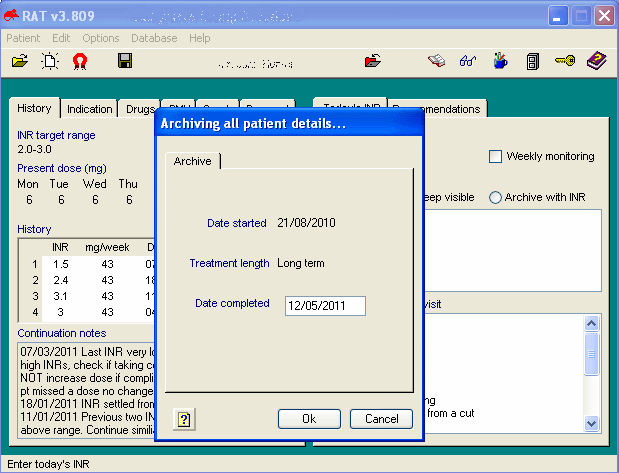
To check for a patient in the
archive, click on this icon on the toolbar. |
|
|
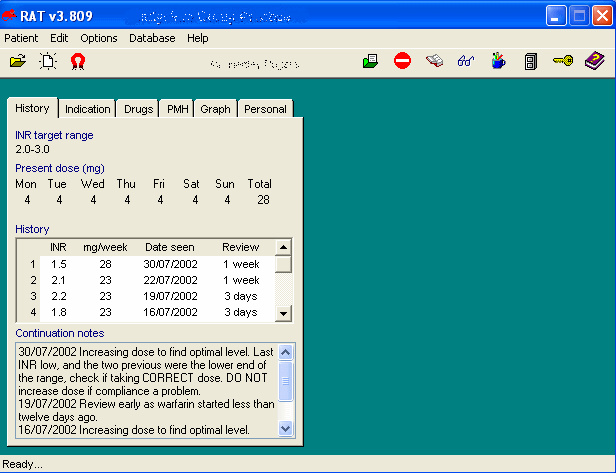
You will see that only the historical data is
presented. Since the patient is not currently on warfarin, there is no
option to enter an INR.
You will see it is mostly figures. I decided
not to produce lots of graphs. I will leave that to you. There is lots of
raw data to allow for an varied amount of graphical representations.
 |
Two new icons appear on the toolbar |
The first 'green folder' icon allows you
to reactivate the patient onto the current patient list. This may be useful
if a patient was previously on warfarin for a short term indication and is restarted
on warfarin because of new reason. It is important if you reactivate a
pateint that you re-examine the indication and treatment length and change
as necessary.
The second icon is the 'No entry' sign. This is to remove
patient details permanently from the database. This would only be necessary
if you had a test patient on the RAT system that you needed to remove, or if
a patient was a duplicate entry.
|